

PROJECT COLLABORATION
One project.Shared engineering.
Invite your collaborators, coordinate project editing and consult issued HVAC deliverables in a shared workspace.
Explore EnterpriseEach person keeps their own plan and tokens.
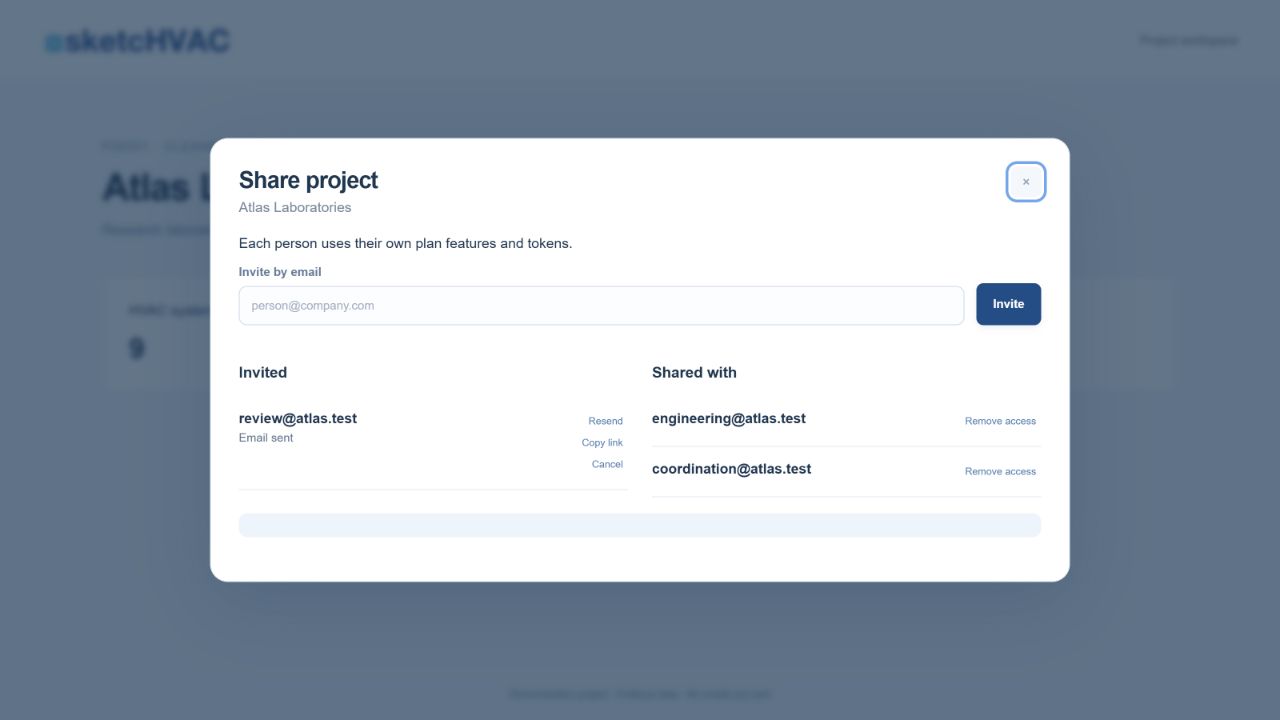
FROM INVITATION TO DELIVERY
A clear way to work together.
- 01
Invite
The creator with Enterprise invites by email, even before the collaborator has an account. Invitations can be resent or cancelled.
- 02
Accept
The recipient signs in with the same verified email. Each collaborator uses their own active subscription and plan features.
- 03
Work together
Edit systems and rooms in the shared project. Editing reservations help coordinate open forms and checks protect saving against conflicting changes.
- 04
Consult the delivery
Accepted members can view project images and issued deliverables. Each person keeps their own document drafts and assistant conversations.
PROJECT AND PERSONAL WORK
A shared basis.
Your own workspace.
Collaborate on the project while keeping your preparation and questions in your own account.
In the shared project
Systems, rooms, engineering data, project images and issued deliverables.
In your account
Plan features, token balance, document drafts, assistant conversations and PDFs uploaded to the assistant.
BEFORE YOU INVITE
Collaboration, explained.
Does everyone need Enterprise?
The creator needs Enterprise to send invitations. Collaborators use their own active subscription. Envelope AI and FDS require Pro or Enterprise; the project assistant and BIM CSV require Enterprise.
Whose tokens are used?
The account performing a charged action uses its own tokens. An invitation does not transfer a plan or pool token balances. Editing, recalculation and viewing results do not consume tokens.
What stays personal?
Document drafts, assistant conversations and PDFs uploaded to the assistant remain personal. Accepted members can consult issued deliverables and project images.
Can I remove access or leave?
The creator can remove collaborators and archive the project. A collaborator can leave; their contributions remain in the project.
Can an invitation be accepted without a subscription?
Yes. The invitation can be accepted with the verified recipient email. Project access requires activating or renewing the account subscription.
CHOOSE YOUR WORKSPACE